AI Chatbots Are Supporting Technical Teams: A New Era of Efficiency

It feels like just yesterday that chatbots were those annoying pop-ups that only knew a few canned responses. Now, though? Things have really changed. AI chatbots are stepping up in a big way, especially for technical teams. They're not just answering basic questions anymore; they're actually helping out with complex stuff and making work a lot smoother. AI chatbots are supporting technical teams by taking on tasks that used to bog everyone down, freeing them up to do the work that really needs their brainpower. This is a whole new chapter for how technical work gets done.
Key Takeaways
- AI chatbots are now handling repetitive tasks for technical staff, like answering common questions or finding information, which saves a lot of time.
- These bots can quickly search through large amounts of data, helping teams find what they need faster and make sense of it.
- When critical issues pop up, chatbots can speed up the initial response, getting the right information to the right people much quicker.
- Chatbots can work around the clock, providing instant help for technical questions and managing support load even when things get busy.
- By automating tasks and providing quick answers, AI chatbots help reduce costs and make technical teams more productive overall.
Enhancing Technical Team Efficiency with AI Chatbots
Let's face it, technical teams often get bogged down with the same old questions and tasks. It's like being stuck in a loop, right? Well, AI chatbots are stepping in to break that cycle and seriously speed things up.
Automating Repetitive Tasks for Technical Staff
Think about all those routine questions your team answers daily. Things like "How do I reset my password?" or "Where can I find the latest software version?" Chatbots can handle these in a flash, freeing up your skilled staff for more complex problems. This isn't just about saving a few minutes here and there; it's about reclaiming valuable time that can be spent on innovation and critical problem-solving. By offloading these predictable queries, technical professionals can focus on tasks that truly require their unique skills and judgment.
- Instant FAQ Handling: Answers common questions immediately, 24/7.
- Basic Troubleshooting: Guides users through simple, step-by-step fixes.
- Information Provision: Directs users to relevant documentation or resources.
The goal here is to let the AI handle the predictable so humans can tackle the unpredictable. It's a smarter way to work.
Streamlining Information Retrieval and Analysis
Finding the right information in a sea of data can be a real headache. Chatbots can act as super-powered search engines for your internal knowledge bases. Need to find a specific log file from last month, or understand a particular system's performance metrics? A chatbot can sift through vast amounts of data much faster than a person ever could. This capability is a game-changer for tasks like analyzing user behavior or quickly pulling up technical specifications. It means less time spent searching and more time spent acting on the information.
Improving Response Times for Critical Issues
When something goes wrong, every second counts. Chatbots can serve as the first line of defense, gathering initial information about a critical issue and even performing preliminary diagnostics. They can alert the right people immediately, providing them with a summary of the problem before they even log in. This rapid initial response can significantly cut down the time it takes to resolve urgent matters, minimizing downtime and keeping operations running smoothly. This is a big step forward from just waiting for an email or a ticket to be picked up.
AI Chatbots: A New Era of Technical Support
Remember when getting help for a technical issue meant waiting on hold, listening to elevator music, and then explaining your problem for the tenth time? Those days are fading fast. AI chatbots are stepping in, changing how technical teams operate and how quickly problems get solved. They're not just answering questions; they're becoming a core part of how support works.
Providing Instantaneous Support for Technical Queries
One of the biggest wins with AI chatbots is the speed. Instead of waiting for a human agent, users can get immediate answers to common technical questions. This means less downtime for employees and happier customers. Think about it: a developer stuck on a coding error, or an IT staff member trying to figure out a network issue. A chatbot can often point them to the right documentation or a known solution in seconds.
- Quick access to knowledge bases: Chatbots can search through vast amounts of technical documentation, FAQs, and past support tickets to find relevant information.
- 24/7 availability: Technical issues don't stick to a 9-to-5 schedule. Chatbots are always on, providing support no matter the time zone or day.
- Consistent answers: Unlike humans who might have an off day, chatbots provide standardized, accurate responses based on programmed data.
The shift from waiting for help to getting instant assistance is a game-changer for productivity. It frees up valuable time that technical staff can then use for more complex, creative problem-solving.
Scaling Support During Peak Demand Periods
Technical teams often face unpredictable surges in requests. Whether it's a new software release causing a wave of questions or a system outage, handling the influx can be overwhelming. Chatbots are fantastic for this. They can handle a massive volume of simultaneous queries without getting flustered or slowing down. This means that during busy times, the quality of support doesn't drop off a cliff.
Here's how they help scale:
- Handle common issues: Chatbots can filter out the routine questions, leaving human agents free to tackle the really tricky stuff.
- Triage requests: They can gather initial information from users, categorize the problem, and even route it to the correct specialist if human intervention is needed.
- Reduce agent burnout: By taking on the repetitive load, chatbots help prevent support staff from getting overwhelmed, which is good for morale and retention.
Reducing Operational Costs and Boosting Productivity
Let's talk numbers. Implementing AI chatbots can lead to significant cost savings. Automating responses to frequently asked questions means fewer human hours are needed for basic support. This doesn't mean replacing people, but rather reallocating their skills to higher-value tasks. Productivity gets a boost because employees spend less time waiting for answers or dealing with simple issues themselves. It's about working smarter, not just harder. This transformation is key to modernizing customer support operations.
| Area of Impact | Potential Benefit |
|---|---|
| Staffing Costs | Reduced need for 24/7 basic support staff |
| Employee Time | Less time spent on repetitive queries, more on complex tasks |
| Issue Resolution | Faster initial response times, quicker path to solutions |
| Training | Chatbots can assist in onboarding new team members by providing quick answers to their questions. |
Leveraging AI Chatbots for Advanced Technical Solutions

Analyzing User Behavior for Proactive Solutions
AI chatbots are getting pretty smart. They don't just wait around for questions anymore. By looking at how people interact with them – what they ask, what they click on, where they seem to get stuck – these bots can start to figure out what users might need before they even ask. Think of it like a helpful store clerk who notices you looking confused at a shelf and comes over to see if you need a hand. This means the chatbot can pop up with a suggestion or a link to a relevant guide, potentially solving a problem before it even becomes a problem. It's a big shift from just answering questions to actually anticipating them.
Supporting Data-Driven Decision Making
Every conversation a chatbot has is a little piece of data. When you gather enough of these conversations, you start to see patterns. Are a lot of people asking the same question about a new feature? Is there confusion around a specific process? Chatbots can collect and organize this information, giving technical teams a clear picture of where users are struggling or what they're most interested in. This isn't just about fixing bugs; it's about understanding the user experience on a deeper level. This kind of insight can guide product development, improve documentation, and help teams prioritize what to work on next. It turns everyday interactions into a source of actionable intelligence.
Personalizing Technical Assistance and Recommendations
One of the coolest things about modern AI is its ability to remember and adapt. A chatbot can learn from past interactions with a specific user. So, if you've asked about setting up a particular piece of software before, the next time you ask a related question, the chatbot might remember that and offer more tailored advice. It can also suggest resources or tools that are most likely to be helpful based on your role or past activity. This makes the support feel less generic and more like it's made just for you. It’s like having a personal tech assistant who knows your history and can give you the best possible guidance without you having to explain everything from scratch every single time.
The real power here is moving beyond simple Q&A. It's about using AI to understand context, predict needs, and tailor responses, making technical support feel more intuitive and less like a chore for both the user and the support team.
Here's a quick look at how this plays out:
- Predictive Assistance: Chatbots identify potential issues based on user patterns.
- Contextual Information: Providing answers that are relevant to the user's specific situation.
- Tailored Guidance: Recommending solutions or next steps based on past interactions and user profiles.
- Resource Optimization: Directing users to the most appropriate documentation or human support when needed.
The Evolving Role of AI Chatbots in Technical Workflows
From Reactive Responses to Proactive Assistance
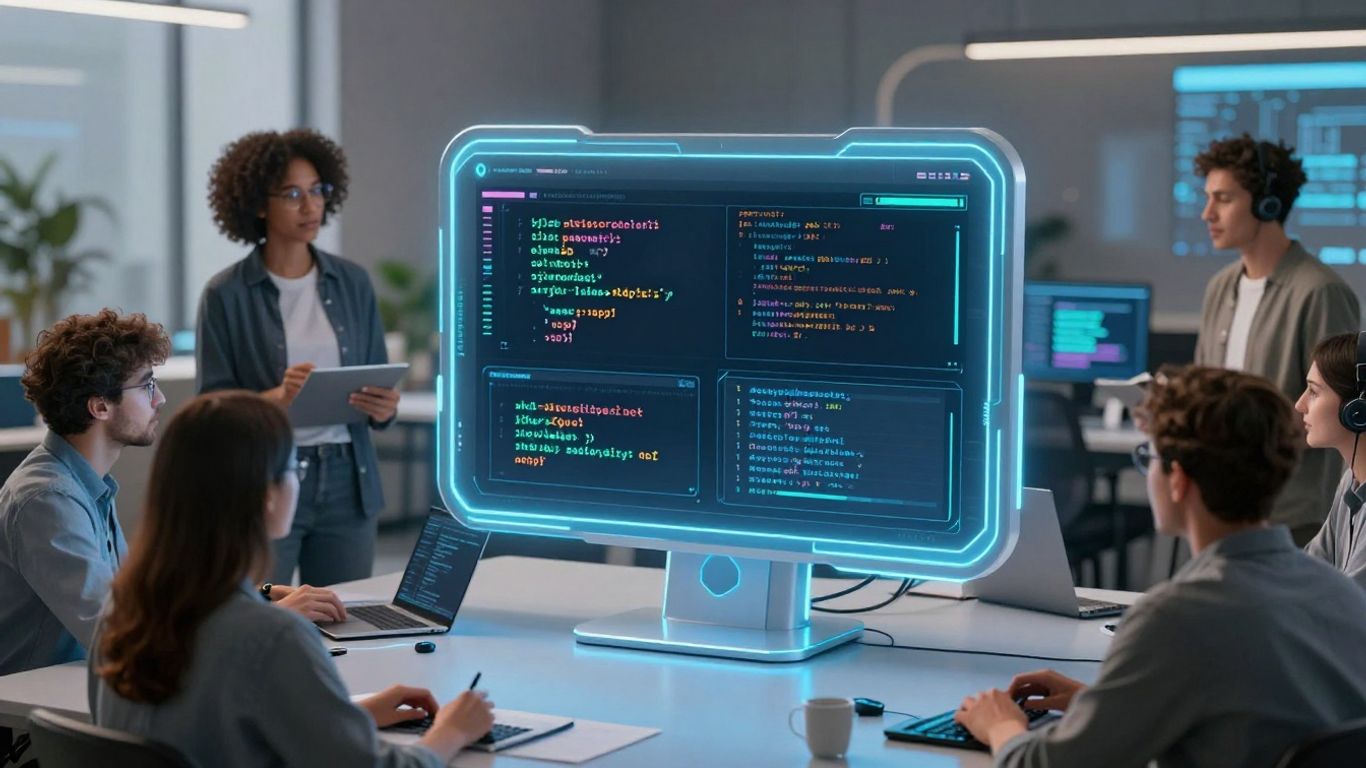
AI chatbots are moving beyond just answering questions when asked. Think of it like this: instead of waiting for a customer to report a problem, the chatbot might notice a pattern in user activity that suggests an upcoming issue. It can then step in with a solution or a heads-up before the problem even happens. This shift from just reacting to actively anticipating needs is a big deal. It means less firefighting and more smooth sailing for everyone involved.
Facilitating Hybrid AI-Human Collaboration
We're seeing a future where AI chatbots and human team members work together more closely. The AI can handle the routine, data-heavy tasks – like sifting through logs or pulling up common error codes. This frees up the human experts to focus on the really tricky stuff that requires creative thinking or a human touch. It's not about replacing people, but about giving them better tools and more time for what they do best.
Here's a quick look at how this collaboration might play out:
- AI handles: Initial data gathering, identifying common patterns, answering frequently asked questions.
- Human experts handle: Complex problem-solving, strategic planning, customer relationship building, creative solutions.
- Together: Faster issue resolution, improved efficiency, more engaging work for human staff.
AI as a Decision Support Tool for Technical Challenges
Beyond just answering questions or automating tasks, AI chatbots are becoming powerful aids in making tough decisions. Imagine a situation where a system is showing unusual behavior. An AI can quickly analyze vast amounts of data, compare it to historical trends, and present potential causes and solutions. It can even simulate the likely outcomes of different actions. This doesn't mean the AI makes the final call, but it gives the technical team the information they need to make a faster, more confident decision.
The real game-changer is when AI moves from simply providing information to actively helping us interpret that information. It's like having a super-smart assistant who can spot trends we might miss and suggest paths forward, making our own decision-making process much sharper.
Implementing AI Chatbots for Technical Teams
So, you're thinking about bringing an AI chatbot into your technical team's workflow. That's a big step, and honestly, it's not just about picking a tool and hitting 'go.' There's some real thought that needs to go into it to make sure it actually helps instead of just adding another layer of complexity. It’s about making things smoother, not harder.
Defining Clear Objectives for Chatbot Deployment
Before you even look at different chatbot options, you need to figure out why you're doing this. What specific problems are you trying to solve? Are you drowning in repetitive support tickets? Is information getting lost in endless email chains? Pinpointing these issues will guide your entire implementation. Without clear goals, you're just implementing technology for technology's sake. Think about what success looks like. Is it faster response times, fewer tickets for your human staff, or better access to documentation?
Here are some common objectives technical teams aim for:
- Reducing the time spent on answering frequently asked questions.
- Providing instant access to technical documentation and troubleshooting guides.
- Automating the initial triage of support requests.
- Assisting with routine system checks or status updates.
- Gathering specific information from users before escalating to a human agent.
Selecting Appropriate AI Chatbot Technology
Once you know what you want the chatbot to do, you can start looking at the tools. There are a lot of options out there, from simple rule-based bots to sophisticated AI models that can understand natural language. For technical teams, you'll likely want something that can handle complex queries and integrate with your existing systems. Consider:
- Natural Language Processing (NLP) capabilities: How well can it understand technical jargon and varied phrasing?
- Integration options: Can it connect to your knowledge base, ticketing system, or internal databases?
- Customization and training: How easy is it to train the bot on your specific technical information and workflows?
- Scalability: Can it handle an increase in users or query volume?
The right technology isn't always the most advanced. It's the one that best fits your team's specific needs and technical environment. Don't get swayed by flashy features if they don't serve your primary objectives.
Integrating Chatbots into Existing Technical Workflows
This is where the rubber meets the road. Simply dropping a chatbot into your existing setup won't cut it. You need to think about how it fits in. Who will manage it? How will users interact with it? What happens when the chatbot can't solve a problem?
- Phased Rollout: Start with a pilot group or a specific use case. Get feedback and make adjustments before a full launch.
- Training and Communication: Make sure your team knows how to use the chatbot, what its capabilities are, and how to escalate issues.
- Feedback Loops: Establish a system for collecting feedback from both users and your technical staff. This is vital for ongoing improvement.
- Define Escalation Paths: Clearly map out when and how a chatbot should hand off a conversation to a human agent. This needs to be smooth and efficient.
Think of the chatbot as a new team member. It needs onboarding, clear responsibilities, and a way to collaborate with everyone else. Getting this right means the chatbot becomes a genuine productivity booster, not just another piece of software.
Thinking about using AI chatbots for your tech team? These smart tools can really help your team work better and faster. They can answer common questions, help with simple tasks, and even guide users through tricky problems. Want to see how these AI helpers can make a big difference for your business? Visit our website to learn more!
The Road Ahead
So, we've seen how AI chatbots are really changing the game for technical teams. They're not just fancy tools anymore; they're becoming a core part of how things get done, handling the routine stuff so people can focus on the bigger challenges. It’s like having an extra pair of hands that never get tired and always know where to find the information. This shift means faster problem-solving, happier customers, and a more productive work environment overall. As this tech keeps getting smarter, we can expect even more cool ways it'll help us out, making our work lives a little bit easier and a lot more efficient.
Frequently Asked Questions
What exactly is an AI chatbot?
Think of an AI chatbot as a smart computer program you can talk to, like texting a friend. It uses artificial intelligence, which is like a computer's brain, to understand what you're saying and give you helpful answers. It can answer questions, help you find things, and even do simple tasks for you, all without a person needing to step in.
How do AI chatbots help technical teams work faster?
AI chatbots are like super-fast assistants for tech teams. They can handle all the simple, repeated questions that people often ask, like 'How do I reset my password?' or 'Where can I find this document?'. This frees up the human team members to focus on the really tricky problems that need their special skills. They also help find information super quickly, saving everyone lots of time.
Can AI chatbots really understand what I'm asking?
Yes, modern AI chatbots are really good at understanding how people talk, even if it's not perfectly phrased. They use advanced technology to figure out the meaning behind your words, just like you understand when someone talks to you. This means you can chat with them more naturally.
What happens if the chatbot can't answer my question?
If a chatbot runs into a question it can't answer, it's usually designed to pass you along to a human expert. It's like the chatbot knows its limits and can smoothly hand you over to someone who can definitely help. This way, you still get the support you need without a long wait.
Are AI chatbots expensive to use?
While there's an initial setup, using AI chatbots can actually save a lot of money in the long run. They can handle many tasks that would normally require more staff, especially for round-the-clock support. This means businesses can save on costs while still providing great service.
Will AI chatbots replace human tech support workers?
No, AI chatbots aren't meant to replace people. Instead, they work together. Chatbots handle the routine stuff, making human workers more efficient and allowing them to tackle more complex and interesting challenges. It's more about teamwork between humans and AI to get things done better and faster.


Comments
Post a Comment